
Video & Music Downloader HD
Fast Tour Booking - Flights & HotelsVideo Players & Editors
4.2182.00 Reviews
- Version
- 1.3.7
- Installs
- 10.00M
- Age Rating
- Everyone
Screenshots
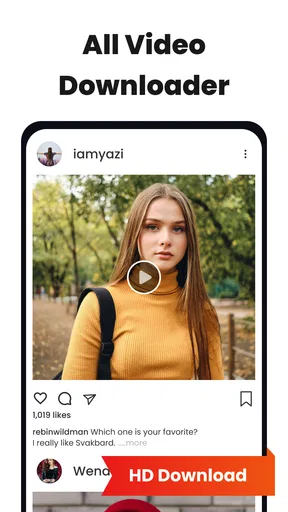
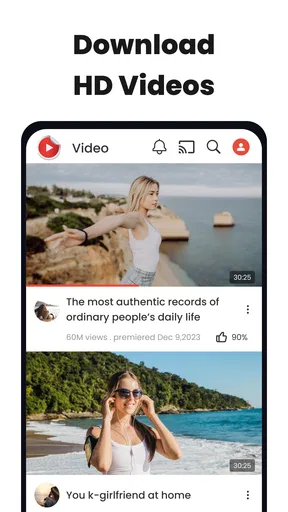

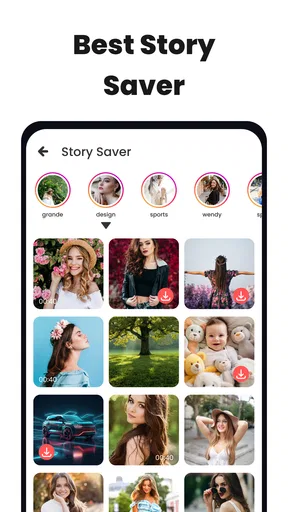
Our Review of Video & Music Downloader HD
 Analysis by Appyee
Video & Music Downloader HD is the kind of Android app I would consider when I need a quick way to handle a video or music file from a phone rather than sit at a computer. Its focus is simple: downloading video, saving stories, and handling Instagram-related media in one place. After spending time with it, I found that the real question is not whether it looks useful on paper, but whether it fits the way you use mobile data, social media, and local storage.
The app sits in the video players and editors category, although I see it more as a practical downloader and saver than as a full editing studio. It is free to install, aimed at everyone, and works on Android devices running version 6.0 or later. The current version is 1.3.7, and the developer is Fast Tour Booking - Flights & Hotels. That developer name feels unusual for a media utility, so I would personally pay attention to the permissions and download behavior before making it part of my daily routine.
Its popularity is substantial, with more than ten million installs and a 4.2 average from roughly 466 thousand ratings. Those figures suggest that the basic idea is useful to a large audience, but they do not remove the need for sensible expectations. A downloader is only as dependable as the source it is trying to reach, the network connection available at that moment, and the way the phone handles the resulting file.
How the connection changes the experience
I look at the connection as more than a speed issue: it affects whether a saved clip is ready when I actually need it. In this section, I’d focus on planning the transfer around the moment of use, then checking how the file moves from the downloader into the phone’s everyday media workflow. That handoff is often where a convenient save either becomes useful or turns into extra searching.
Where the app feels most useful
The most natural workflow begins while browsing online content. I find an item I want to keep, open the sharing or copying option offered by the source, and then move into the downloader rather than switching between several unrelated tools. That can be convenient when I am working from a phone with limited screen space. The appeal is less about advanced media production and more about reducing the number of steps between discovering something and saving it for later handling.
Story saving is another practical use. Stories are temporary by design, so a saver can be helpful when I want to retain a clip that I created myself or have permission to keep. I would not treat the feature as a way around someone else’s wishes. The sensible habit is to ask before reposting or archiving personal material, especially when a story includes private people, locations, or conversations.
The network matters at every point before a file reaches the device. The app cannot make a weak connection behave like a strong one. If a source page loads slowly, the downloader may appear unresponsive even when the underlying problem is the connection or the source itself. I learned to wait for the original media to load properly before assuming the app had failed. That small distinction prevents a lot of unnecessary retries.
For music, I would use it carefully and only with material I am allowed to download. The label “music downloader” can make people expect a universal search engine, but I would not approach this app that way. Its usefulness depends on the content source and the way that source exposes the media. If my goal were a broad music library with discovery, playlists, licensing, and reliable playback, I would choose a dedicated streaming or music-management service instead.
A realistic phone scenario
Imagine I am traveling between appointments and someone sends me a short clip that I need to review later. At that moment, I may have an unstable mobile connection, limited time, and no desire to open a desktop browser. I can try to pass the media into the downloader while the connection is available, then check whether the file has actually completed before leaving the network. The important step is verification: I would not close the app or clear the notification until I know the transfer finished.
That workflow is especially useful for user-created clips, reference material, or a video I need to show during a meeting where the network may be unreliable. It is less suitable when I need guaranteed access to a protected service, high-resolution professional files, or a carefully organized archive. In those cases, the source’s own download option or a computer-based workflow is usually safer and clearer.
What happens when a download goes wrong
Failures are part of this category, and I would not judge the app fairly without considering them. A download can fail because the connection changes, the source stops responding, the content is no longer available, or the phone has insufficient storage. These causes look similar from a user’s perspective, so recovery starts with identifying which part of the chain broke.
My first recovery step would be to reopen the source and confirm that the media still plays online. If it does not, retrying inside the downloader is unlikely to help. If it plays normally, I would check the connection, avoid switching repeatedly between Wi-Fi and mobile data, and start the attempt again. I would also look at available storage before repeating a large transfer. This is a more useful routine than pressing download several times and creating a collection of incomplete files.
Another practical habit is to handle one important file at a time when the connection is unstable. Queueing many items may feel efficient, but it makes it harder to identify which item failed and can consume mobile data unexpectedly. For a short clip, a fresh attempt may be enough. For a larger file, I would prefer a stable Wi-Fi connection and keep the app in the foreground if the phone tends to restrict background activity.
I would also avoid renaming or moving a file while it is still downloading. On many phones, file operations during an active transfer can create confusion about whether the item is complete. Once the transfer appears finished, I would open the file with the phone’s normal media player. That confirms both that the file is usable and that it is stored where I expect it to be.
Using it without wasting mobile data
The free price makes experimentation easy, but free does not mean every download is cost-free in practical terms. A high-quality video can use far more data than a short social clip, and repeated retries multiply that cost. My preferred approach is to save larger items for a dependable Wi-Fi connection and reserve mobile data for small, genuinely urgent files.
I would also avoid downloading content simply because the option is available. Before starting, I ask myself whether I need the whole video, whether I already have access to it elsewhere, and whether the file will be watched or shared later. That pause is valuable because downloaded media can quietly fill storage and make future troubleshooting harder.
When I am using mobile data, I keep an eye on the phone’s data monitor rather than relying on memory. If a download stalls, I do not immediately assume that another attempt is harmless. A stalled transfer followed by several retries can become a surprisingly expensive mistake. I would cancel the attempt, reconnect to a better network, and begin again only when the conditions are sensible.
Storage is the other half of data-conscious use. A phone may have enough space for a short clip but not for several long videos saved at once. I find it helpful to review downloaded media after a few days, delete duplicates, and move anything important into a clearly named folder or another storage system. The app may help bring media onto the device, but keeping that media organized remains my responsibility.
Where it differs from ordinary alternatives
The usual alternative is the source platform’s own save, download, or offline feature. When that option exists and suits my needs, I generally prefer it because it keeps the content inside the service’s normal rules and often makes playback simpler. A dedicated downloader becomes more attractive when I need a local file, want to gather media from several permitted sources, or need a straightforward story-saving workflow.
A mobile browser is another comparison point. Browsers are more flexible for opening pages, but they can feel cumbersome when I am repeating the same save process. Video & Music Downloader HD is more focused, which can make routine actions quicker. The trade-off is that a focused tool may be less transparent when a source changes its page structure or restricts access. A browser gives me more context; a downloader gives me a more direct task-oriented path.
For editing, I would choose something else. This app belongs near the downloader end of the video category, not beside a full editor with a timeline, transitions, captions, color controls, and export presets. I would use it to obtain or save media, then open that media in a separate editor if I needed to cut a clip or build a finished video.
There is also a privacy and trust consideration. Because the developer is listed as Fast Tour Booking - Flights & Hotels rather than a name that immediately suggests media tools, I would be deliberate about granting access. I would install it from the official app source, review every permission request, and avoid entering account credentials into an unfamiliar screen. That is not a criticism of the app’s function; it is a sensible boundary for any downloader that interacts with social content.
Who should use it, and who should skip it
I think it is a reasonable fit for someone who regularly saves short videos or stories on Android and wants a dedicated utility instead of juggling browser tabs. It may also suit a casual user who needs to move permitted media from an online source to local phone storage without learning a complicated editing program. The free entry point makes it easy to test with a few nonessential files before deciding whether it belongs in a regular workflow.
I would skip it if my main goal is professional video editing, advanced file management, or a complete music service. I would also avoid depending on it for important travel material until I had tested the exact sources I use. Network behavior, source restrictions, and device storage can all affect the result, so the app is better viewed as a convenient tool than as a guarantee that every online video can be saved.
The in-app purchase price is listed as $14.99 per item. That makes it worth checking what any paid item actually provides before spending money, especially because the core app is free. I would not pay simply to solve a temporary connection problem or assume that a purchase can overcome restrictions imposed by a source. The value depends on whether the added item addresses a real need in my own workflow.
Small habits that make the app more dependable
One useful habit is to test the workflow with a harmless, short clip first. That tells me whether the source, phone, connection, and storage location cooperate before I attempt a long or important download. It also gives me a chance to see how the completed file appears in the device’s media library.
A second is to separate personal archives from temporary downloads. I would move clips I intend to keep into a clearly labeled folder and remove items that were only needed for a quick task. This prevents the common problem of searching through a crowded download directory weeks later.
A third is to treat the share or copy step as part of the process rather than an afterthought. If the source provides a clean way to share the media, using that route is usually less confusing than copying a partial page address or a link that only works inside a private session. When the app cannot identify the content, I would first revisit how the source link was obtained.
Finally, I would check the result immediately. A visible filename is not enough; I want to open the file, confirm that sound and picture work, and make sure it is not merely a temporary or incomplete item. This matters most when I am preparing for a place with uncertain connectivity. The app can assist with the transfer, but only a completed playback check tells me whether the job is truly done.
My connectivity verdict
My overall view is that Video & Music Downloader HD is a focused, approachable utility for people who want a direct way to save permitted video, story, and music content on Android. Its strongest quality is convenience during ordinary mobile tasks, particularly when I am moving between social apps, a browser, and local storage. Its weakest point is that the experience remains tied to the network and the source. No downloader can remove those dependencies.
I would recommend trying it if your needs are modest, your sources are legitimate, and you are comfortable checking downloads rather than assuming they will always complete. I would use Wi-Fi for larger files, monitor storage, and keep expectations realistic when a page or connection behaves unpredictably. For a polished offline library, serious editing, or music discovery, I would choose a more specialized alternative.
In short, the app earns its place as a practical helper rather than an all-purpose media solution. The large user base and solid 4.2 average make it easy to consider, while the free installation lowers the risk of testing it yourself. The best results come from treating connectivity, source permissions, and file organization as part of the workflow, not from expecting the downloader alone to solve every problem.
Verdict
Strengths of Video & Music Downloader HD
- Supports downloading videos and music in multiple formats.
- Simple interface makes saving media quick for new users.
- Built-in media player lets you preview files before downloading.
- Useful download management with pause and resume controls.
- Offline playback helps reduce mobile data usage.
Limitations of Video & Music Downloader HD
- May contain intrusive ads during browsing or downloading.
- Download availability can vary by website and content restrictions.
- Some formats or quality options may require extra processing time.
- Downloaded files may use significant storage space on your device.
- Privacy and copyright policies should be checked before saving content.
Other Releases by Fast Tour Booking - Flights & Hotels
View All
FlightRadar - Flight Tracker
Travel & Local0.0
Similar Picks in This Category
View All
Google TV
Google LLC3.9

iTunes
Apple4.7

YouTube
Google LLC3.8

MX Player
Amazon Mobile LLC4.2

CapCut - Video Editor
Bytedance Pte. Ltd.3.5

PLAYit-All in One Video Player
PLAYIT TECHNOLOGY PTE. LTD.4.5
Frequently Asked Questions
What is Video & Music Downloader HD used for?
Video & Music Downloader HD is designed to help users browse, save, and manage supported video or music files on a mobile device. Its exact capabilities depend on the version, device, and source website. Before downloading, check the app’s description and permissions carefully, because not every online platform or media format may be supported.
Is Video & Music Downloader HD free to download and use?
The application may be available as a free download, but some features can be limited by advertising, in-app purchases, or premium upgrades. Pricing and available tools may vary between Android and iOS versions. We recommend reviewing the store listing before installation so you understand whether downloads, storage options, or an ad-free experience require payment.
Can I download videos and music from any website?
No. Video & Music Downloader HD should not be assumed to work with every website or streaming service. Compatibility can depend on the platform’s technical restrictions, the media format, regional availability, and copyright policies. Only download content when the source permits it and you have the necessary rights or permission to store and use the file.
Where are downloaded files saved, and can they be played offline?
Downloaded media is generally stored either inside the application or in a device folder selected by the app, depending on the operating system and its storage permissions. Some files may be available for offline playback within the app, while others can be exported to standard device storage. Check the app’s settings to confirm the exact behavior.
Is Video & Music Downloader HD safe for my phone and personal data?
Safety depends on where you obtain the application and the permissions it requests. Download it only from an official app store, inspect the developer information, and avoid unofficial modified versions. Be cautious if the app requests access unrelated to downloading or playback, and review its privacy policy before granting access to storage, network, or other personal information.
